tlocal

  • Product
  • UI/UX
  • AI
  • Video Analyzation
  • Localization

A collaborative workspace to extract, review, and localize on-screen text—built for full-length films and long-form programmes, not one-off clips.

Role

Co-Founder and Design Engineer

Team

Tongfei Zhu

Aditya Mishra

Luke Miller

Raptor English

Scope

March 28 – Ongoing

Tools

Figma

Cursor

TwelveLabs (Marengo, Pegasus)

AWS Bedrock

Baseten

LTX.io


Problem

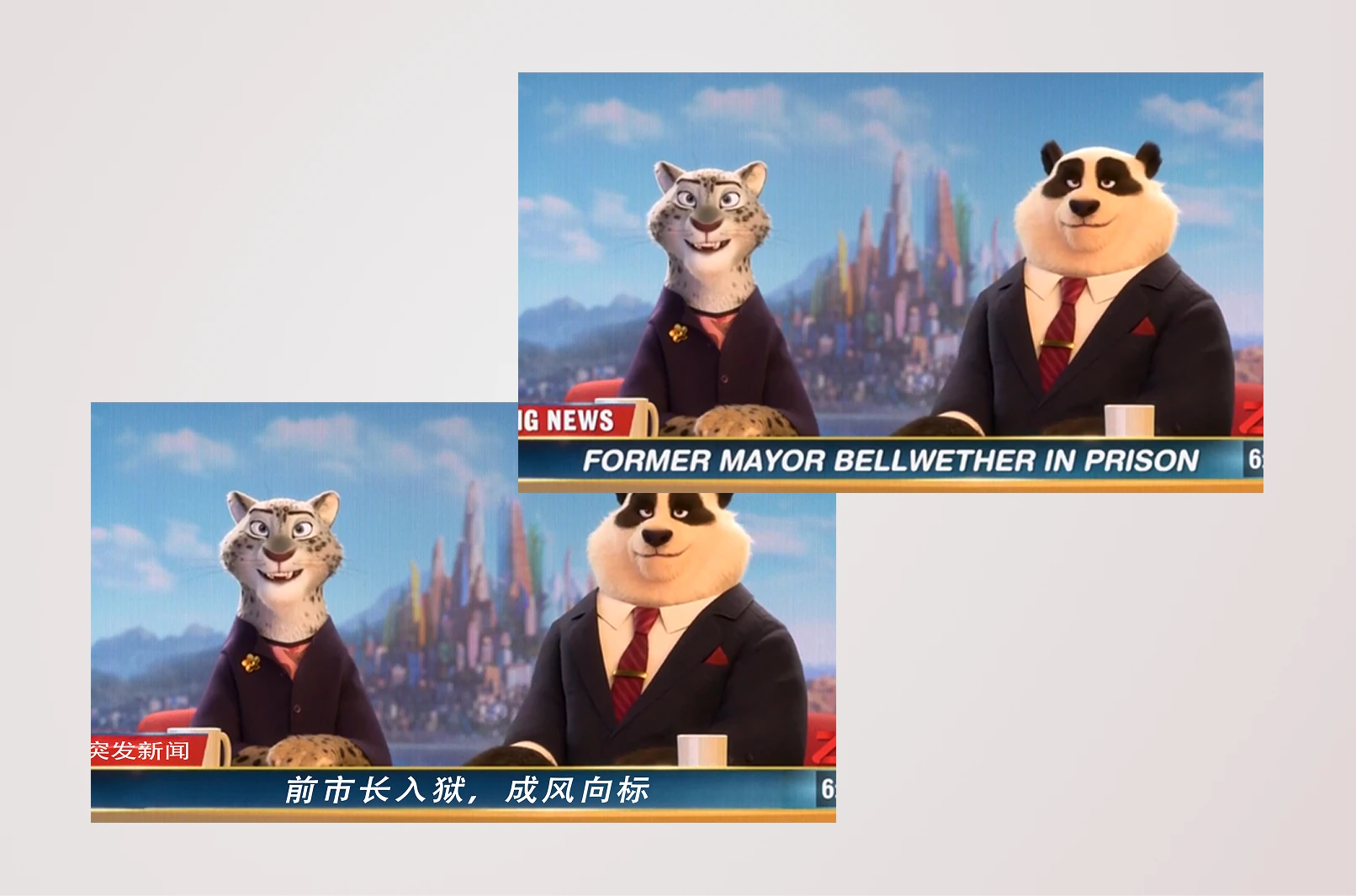
Text Localization is Fragmented

Localization for film and long-form video still leans on QC spreadsheets, manual logging, and handoffs between teams. On-screen text is easy to miss or strip of context when it lives in a list, especially across full runtimes.

There’s a team behind every language. Jokes, puns, and idioms often don’t land the same elsewhere, and without the right context and review, copy can read as flat, confusing, or in the worst case offensive.

That fragmentation slows review, makes it hard to prioritize what needs a human pass, and disconnects translators from the frame and timecode where copy actually appears.
Solution

One Centralized Workspace

tlocal replaces blank localization QC spreadsheets with full inventories in minutes, using TwelveLabs’ Marengo and Pegasus models to understand what appears on screen and when. Direction came from the room itself: stories from operators and studio-side leaders, teammate context from major M&E organizations, and a clear picture of where video intelligence can remove real friction.

How teams use tlocal

  1. Upload your video Bring the programme into tlocal as the single place work begins.
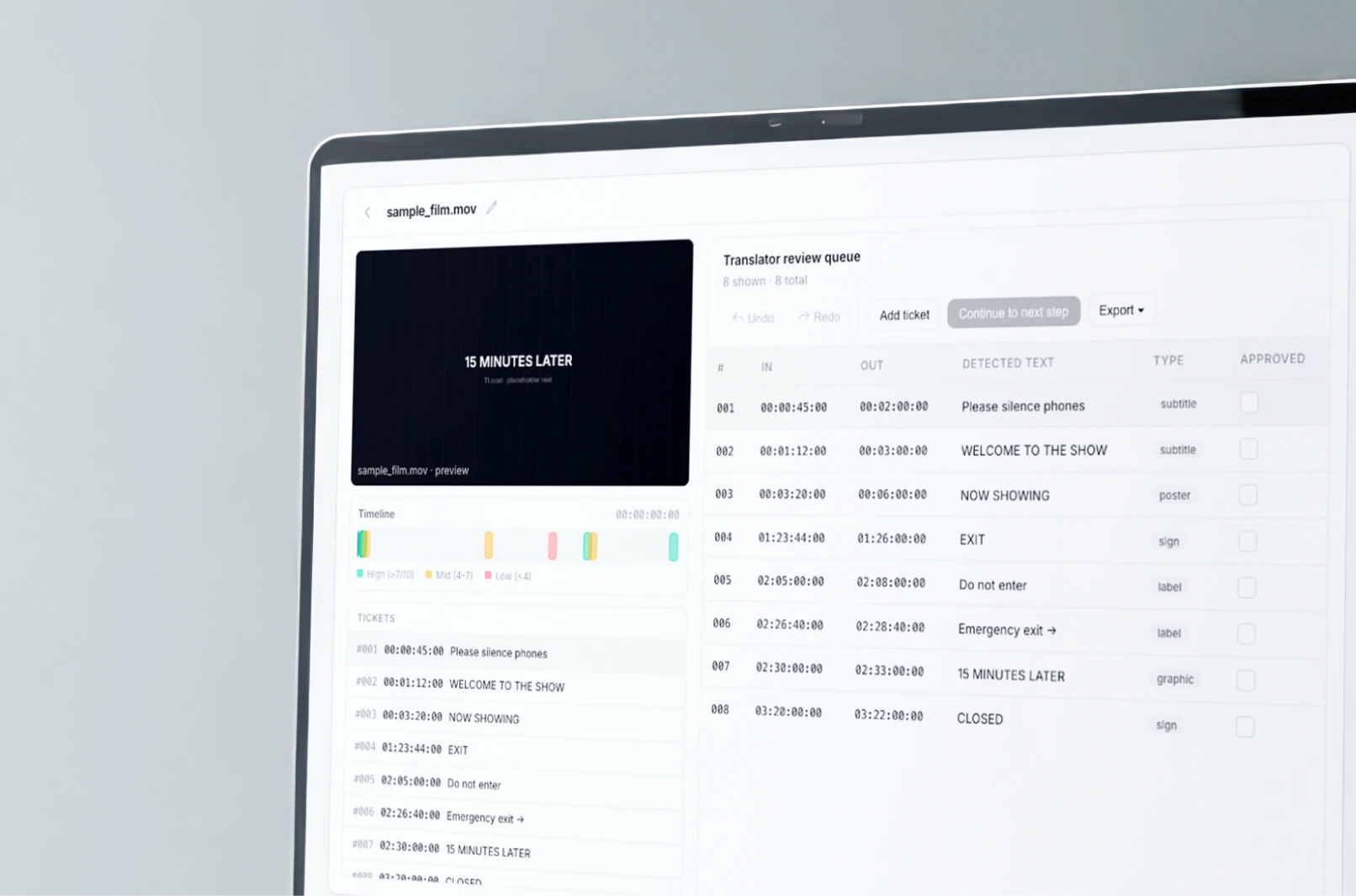
  2. AI detects on-screen text The system finds every string automatically—replacing what teams used to log manually, frame by frame.
  3. Confidence on every detection Each item includes a score so you know what needs attention first.
  4. Assign what happens next Translate directly, adapt creatively, or flag for cultural review.
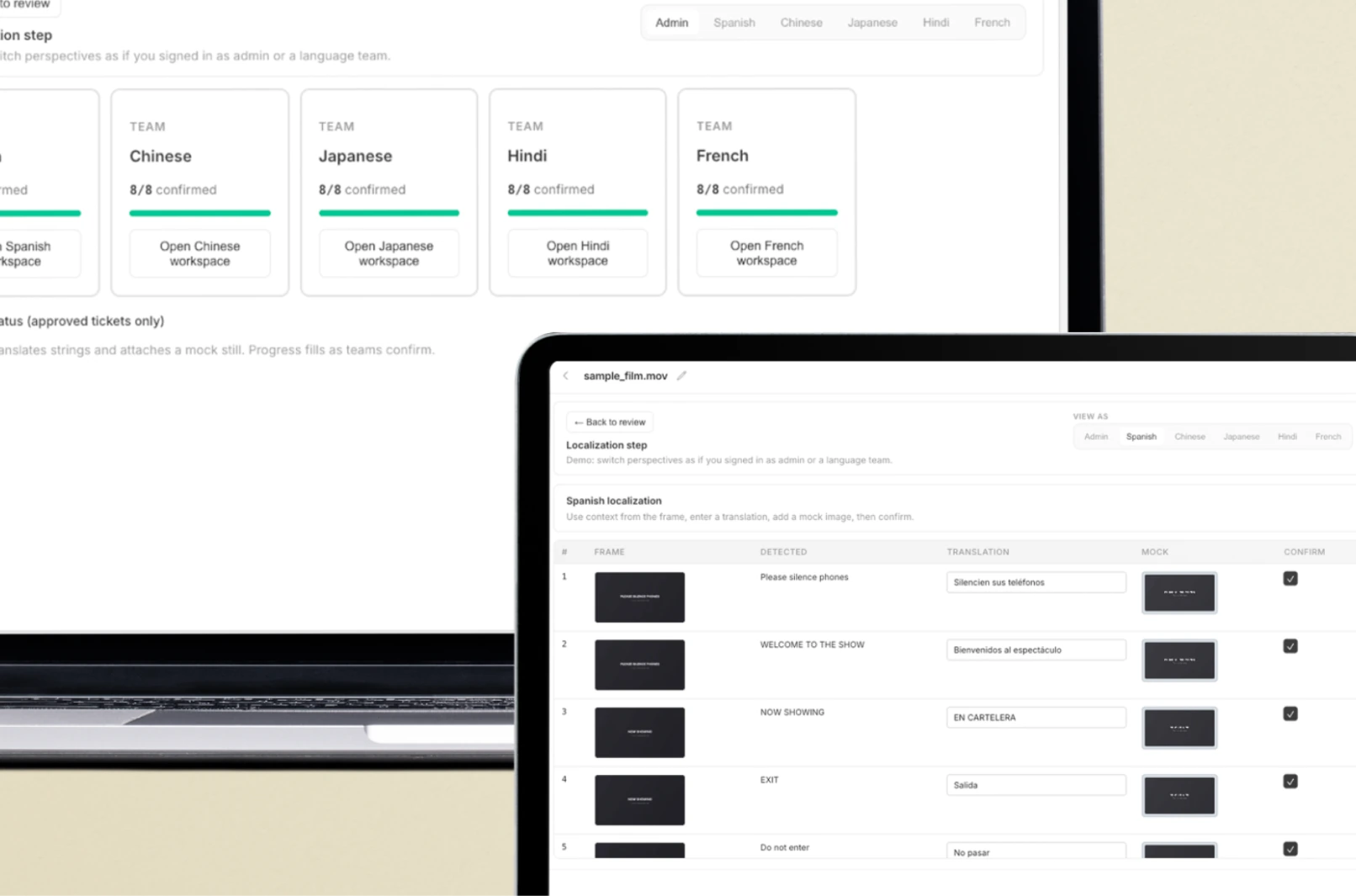
  5. Distribute across language teams Once confirmed, tasks fan out to the right locales—no duplicate handoffs.
  6. Work in the same system Every team reviews suggestions, refines translations, and collaborates in full frame-and-timecode context.
  7. See it on the picture AI mockups place translated copy on the screen so you can judge length and fit instantly—or upload your own designs.
  8. Track, then close with QA Admins monitor progress in real time; when everything’s ready, send it for final QA.

Features

One intuitive workspace

We designed and developed tlocal alongside our teammate Luke, an engineer who works directly with the localization team at Disney Animations.

1

Extract across the timeline

Turn signs, subtitles, credits, and graphics into reviewable tickets—each tied to timecode and scoped to full films and long programmes, not isolated clips.

tlocal interface showing on-screen text extracted across the timeline
tlocal interface for routing work to language teams

2

Route work to language teams

Give every locale a clear next step: translate in context, adapt for tone and length, or route work for cultural review when the material needs a specialist pass.

3

Faster translation mockups

AI composites translated copy onto each screen in seconds so reviewers judge real fit, not flat strings, and tighten language suggestions with the frame in view. Admins get live progress and status updates as work moves across locales.

tlocal interface showing translation mockups on frame

Takeaways

12Labs Hackathon

Thank you to the hackathon judges and studio partners, including representatives from Warner Bros. Discovery, Fox Corporation, Lionsgate, Sony Pictures Entertainment, and SVTA—and to the sponsors who made production-scale experimentation possible: Amazon Web Services (Bedrock), Baseten for model serving, and LTX.io for video generation. Special thanks to everyone at TwelveLabs who organized the event and supported the build.

Check out the landing page for tlocal at tlocal.online!

tlocal workspace and UI still 1 tlocal workspace and UI still 2 tlocal workspace and UI still 3 tlocal workspace and UI still 4

↑ Back to top